Workouts, deck attendance, meet declarations, and best times for one swim club.
Coaches type sets the way they write them on the whiteboard, and DeckPro totals the yardage. Attendance is one tap per swimmer on a pool-deck tablet. Declarations, entries, and lineups sit next to each swimmer's best times, and a results file updates every best time after a row-by-row review.
A week at the club
-
Monday
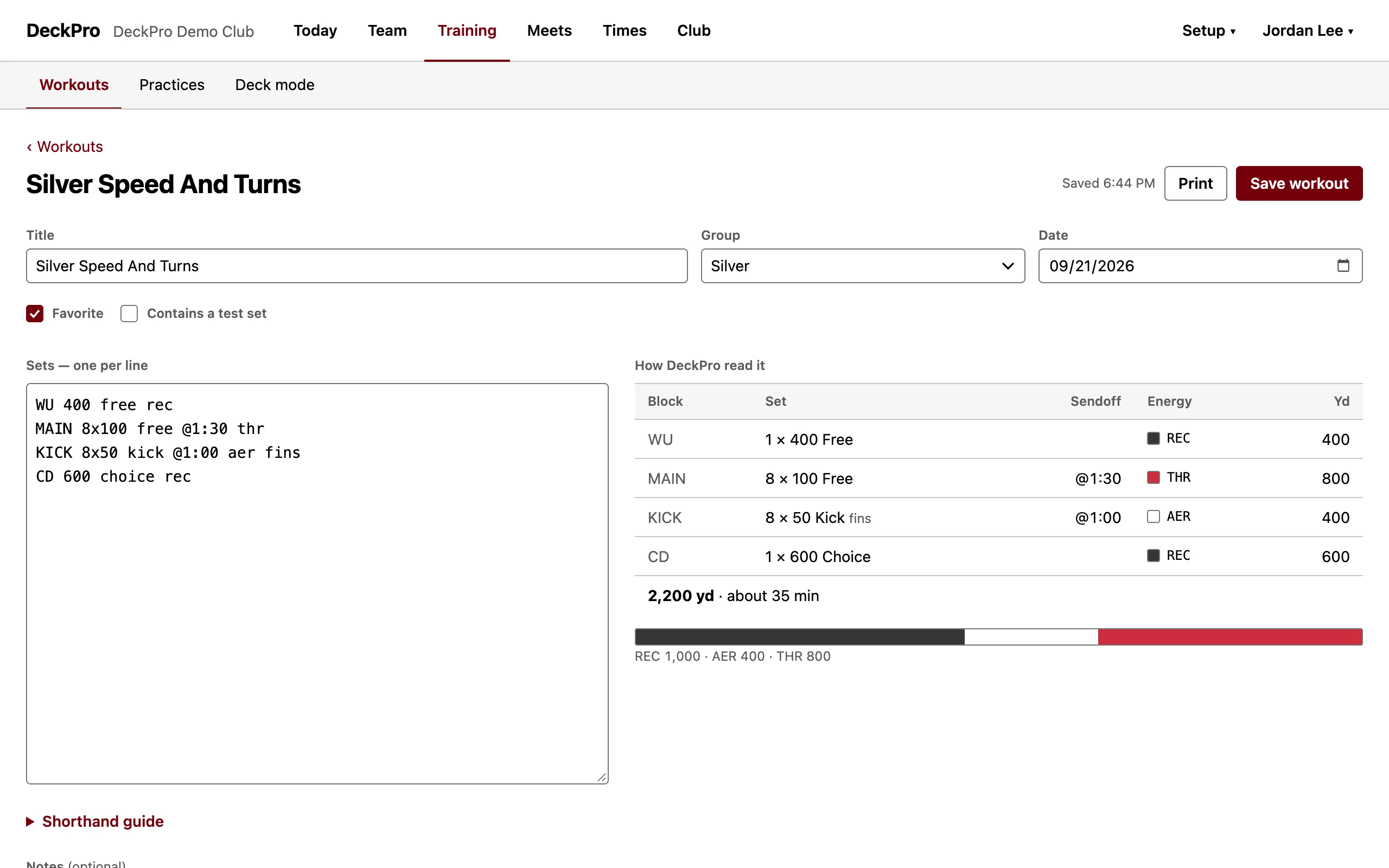
Write the practice
Type
MAIN 8x100 free @1:30 thrand DeckPro adds 800 yards of threshold to the total. Lines it can't read are flagged and kept, never dropped. -
Monday, 4:30 PM
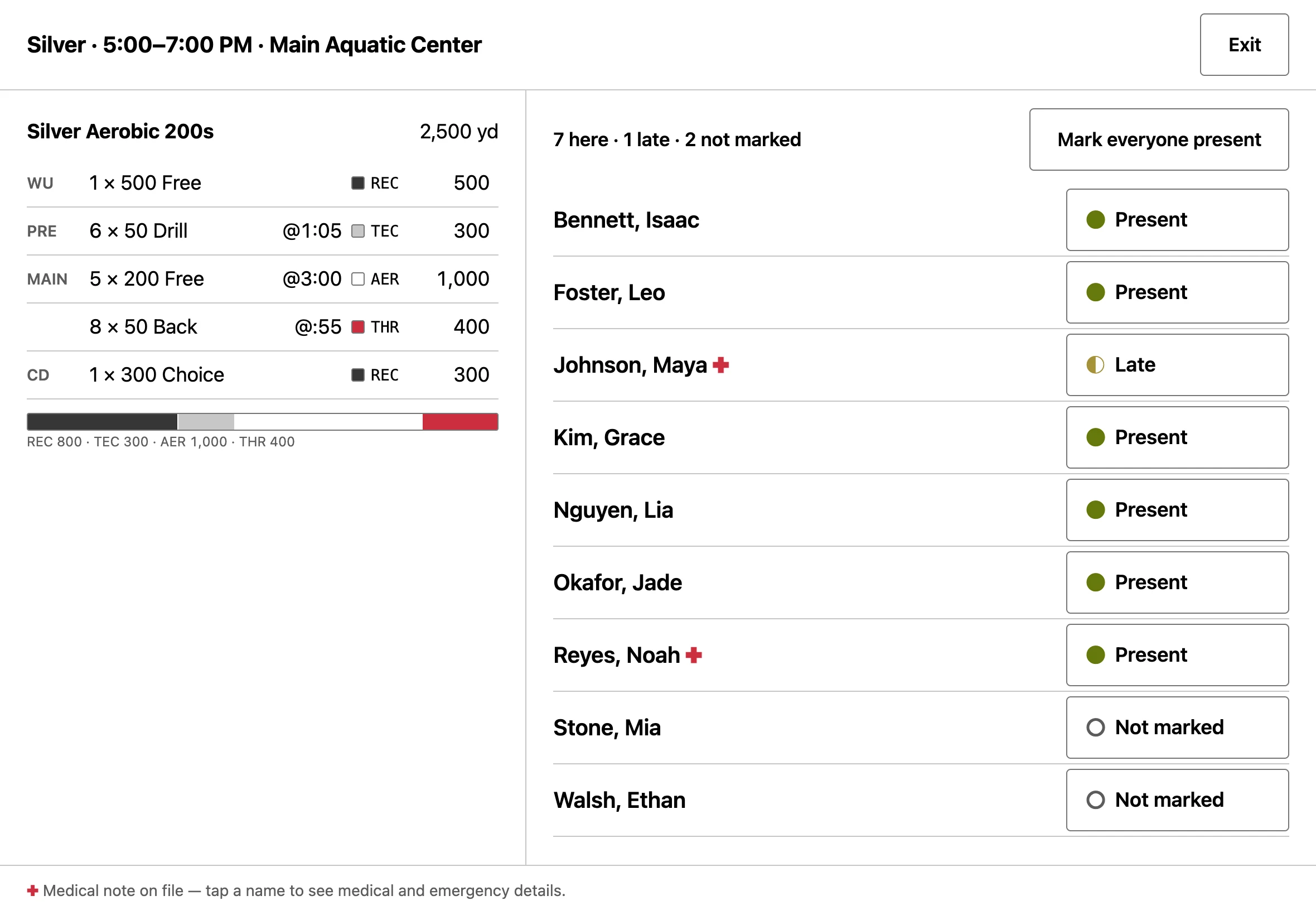
Take attendance on deck
Tap "Mark everyone present", then tap the two swimmers who came in late. Staff can open a swimmer's medical and emergency details from the same screen, and every look is logged.
-
Wednesday
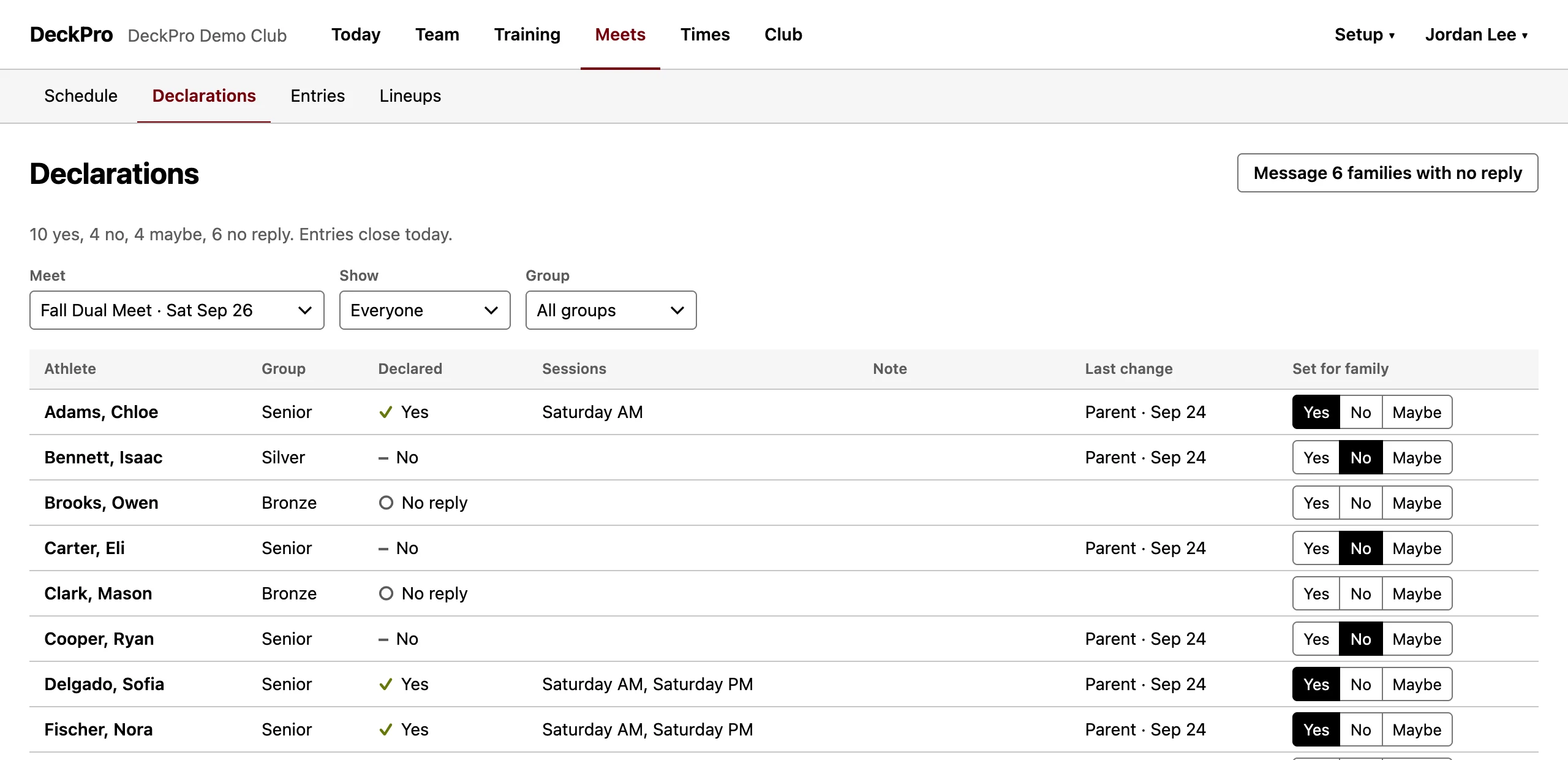
Parents declare for Saturday
Guardians answer yes, no, or maybe for each swimmer from their phone, with sessions and a note. Coaches see who hasn't answered, and one button starts a message to those families.
-
Friday
Build the lineup
DeckPro lists the three fastest declared swimmers in each event from their best times in the meet's course. The coach turns it into entries and changes whatever needs changing.
-
Sunday
Import the results
Every row is checked before it touches the roster. Best times, and each swimmer's gap to the club's standards, update when a coach promotes the file.
Bring the files you already have
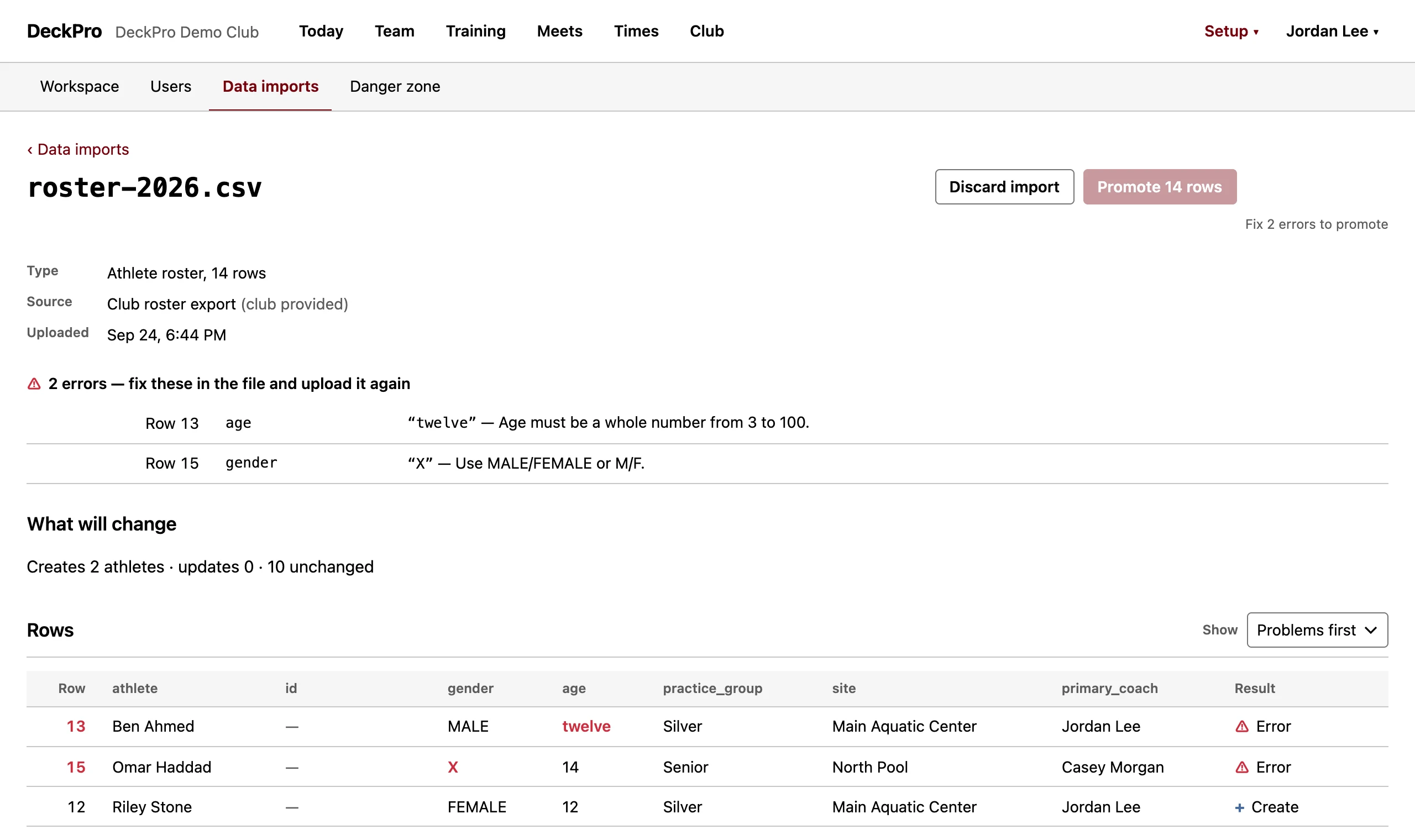
DeckPro reads roster and times CSV files today. Each file is checked row by row, and nothing changes until a coach promotes it:
roster-2026.csv · Athlete roster · 14 rows
⚠ Row 13 · age — "twelve": Age must be a whole number from 3 to 100.
⚠ Row 15 · gender — "X": Use MALE/FEMALE or M/F.
Creates 2 athletes · updates 0 · 10 unchanged
Fix 2 errors to promote.
Where your club's data lives
- Server
- Each club runs on its own server, with its own data file and backups. No other club's swimmers are on it.
- Access
- Coaches, guardians, and swimmers 13 and older sign in with Google accounts the club invites. Coaches see only their groups; guardians only their own swimmers. DeckPro stores no passwords.
- Export
- Download the roster and best times as CSV whenever you want.
- Athletes
- There's no public directory of swimmers. Named athlete data stays in the club's workspace.
What DeckPro doesn't do yet
- Collect dues or meet fees. Keep your current billing tool.
- Run a live meet: timing, seeding, and scoring. Keep your meet host.
- Send email or SMS. Messages are saved to a log with their recipient list.
- Give accounts to swimmers under 13. Their guardians manage their information.